2026 Top Touch Panel Display Types for Global Buyers

Time:2026-09-16 Author:Amelia
0%

The 2026 touch market is becoming more specialized. Global buyers now compare projected capacitive, resistive, infrared, and surface acoustic wave panels. They also examine in-cell and on-cell touch integration. Each type changes the product’s feel, durability, cost, and repair strategy.

Steve Jobs, Apple co-founder and touchscreen product pioneer, once said, “We’re going to use the best pointing device in the world… We’re going to use our fingers.” That idea still shapes modern Touch Panel Display design. Yet finger input alone cannot define a suitable panel. A retail kiosk may need a bright projected capacitive screen with glove support. A factory terminal may favor a resistive panel because operators use thick gloves. Medical equipment demands careful cleaning resistance, stable calibration, and dependable operation.

Real purchasing decisions happen at the specification level. Buyers should check cover-glass thickness, optical bonding, touch accuracy, response time, operating temperature, and expected service life. They should also request samples. A panel that feels smooth in a showroom may fail under sunlight, moisture, or repeated impact.

No single type wins every project. That conclusion sounds simple. It is not always correct. Supplier quality, controller tuning, firmware, and assembly methods can change performance dramatically. Buyers should compare measured results, not impressive labels. This guide examines the leading Touch Panel Display types for 2026, with practical details for global sourcing, product development, and long-term reliability.
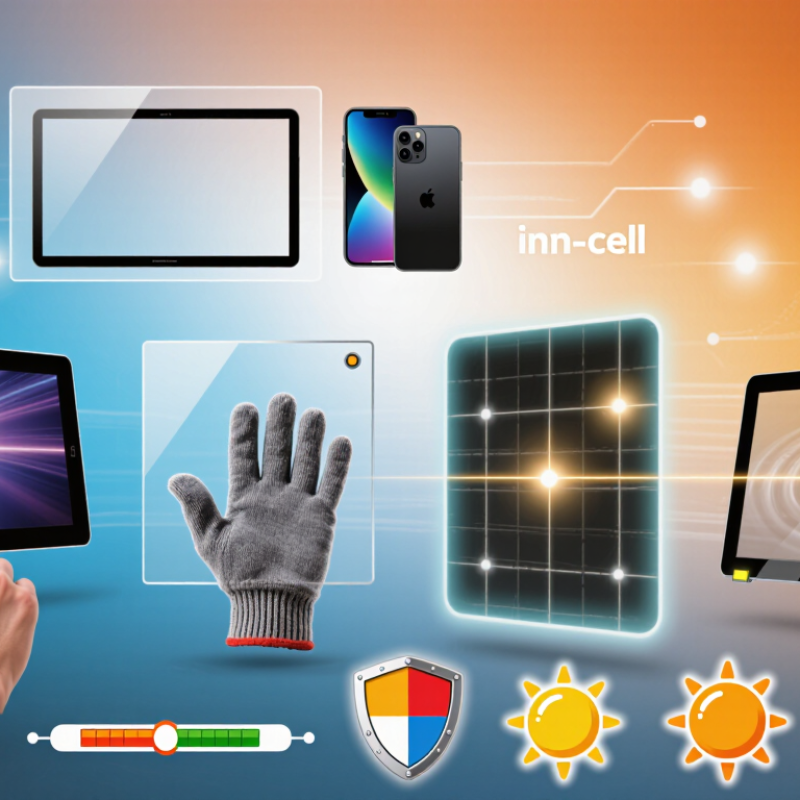
2026 Top Touch Panel Display Types for Global Buyers

How Touch Panel Displays Work and Why Their Types Matter

2026 Top Touch Panel Display Types for Global Buyers

How Touch Panel Displays Work and Why Their Types Matter

A touch panel converts finger contact into an electrical or optical signal. The controller then translates that signal into a command. Projected capacitive panels detect changes in an electrostatic field. They support fast gestures and clear glass surfaces. Resistive panels respond to pressure between flexible layers. They can work with gloves, pens, or wet fingers. Infrared panels detect interruptions across an invisible light grid. They suit large displays, but dust may affect accuracy.

The type matters because every installation has different risks. A medical console needs reliable cleaning and precise input. A factory terminal may need gloves, impact resistance, and stable operation near electrical noise. A vehicle display faces sunlight, vibration, and temperature changes. Grand View Research reported that the global touchscreen market was valued at about USD 83.9 billion in 2023, with continued growth expected through 2030. MarketsandMarkets also identifies industrial, automotive, and consumer electronics as major demand areas. These figures show scale, not suitability. A large market does not make every panel a good choice.

Tips: Test the complete display, not only the touch layer. Check response through gloves, moisture, protective glass, and repeated tapping. Review viewing angles and brightness under real lighting. Ask for durability testing, including electrostatic discharge performance under IEC 61000-4-2. A neat specification sheet is not enough. I have seen impressive prototypes fail after simple cleaning cycles. That uncomfortable detail deserves attention before purchase.

Major Touch Panel Display Technologies in 2026

2026 Top Touch Panel Display Types for Global Buyers

Major Touch Panel Display Technologies in 2026

Touch panels now serve kiosks, medical instruments, vehicles, and factory terminals. Choosing the right technology depends on environment, glove use, cost, and expected service life.

Projected capacitive touch remains popular for smartphones and control panels. It supports smooth multi-touch and clear glass surfaces. However, thick gloves, moisture, or poor grounding can reduce accuracy. Resistive touch panels respond to pressure, even with gloves or a stylus. They suit warehouses and older industrial equipment, but their flexible top layer can scratch over time.

Infrared touch systems detect interruptions across a frame. They work with bare fingers, gloves, and many objects. Dust around the frame may cause false input, so maintenance matters. Surface acoustic wave panels offer sharp images and good light transmission. They can be sensitive to water and solid debris. In larger displays, infrared technology may provide a practical balance between durability and user flexibility.

Tips: Test real gloves, not only bare fingers. Place sample panels near heat, dust, and direct light before purchasing. Ask suppliers for response-time data, operating-temperature limits, surface hardness, and repair procedures. A specification sheet is useful, but it cannot replace field testing. I have seen technically impressive panels fail because operators wore wet gloves. That detail is easy to miss. Also, no technology is perfect; budget models may require compromises in brightness, sealing, or long-term calibration.

Key Differences in Touch Panel Performance and Design

2026 Top Touch Panel Display Types for Global Buyers

Key Differences in Touch Panel Performance and Design

Touch panels differ sharply in sensitivity, durability, and integration demands. Projected capacitive panels support multi-touch and fast gesture response. They work well with bare fingers and thin gloves. However, water droplets can create false inputs without careful firmware tuning. Resistive panels respond to pressure, not electrical conductivity. They suit stylus use, industrial controls, and users wearing thick gloves. Their surface may feel less fluid during rapid gestures.

Infrared panels detect interruptions across a light grid. This design supports large displays and works with gloved hands. Dust around the frame can reduce accuracy. Regular cleaning becomes important. Surface acoustic wave panels deliver clear images and strong touch precision. Yet, moisture and contaminants may affect their sensing layer. Design teams must allow enough bezel space for sensors and emitters.

Performance also depends on cover glass, bonding, controller settings, and installation quality. Optical bonding can reduce reflections in bright warehouses. It can also increase repair difficulty and replacement cost. A 2-millimeter cover may improve impact resistance, but it can reduce sensitivity with some configurations. Buyers should test the complete display, not only the touch module. Include wet fingers, winter gloves, repeated taps, and angled viewing. No panel wins everywhere. Field results sometimes challenge the original specification. That is where the design deserves another review.

2026 Top Touch Panel Display Types for Global Buyers

Typical optical transmittance is shown as a representative midpoint of commonly specified ranges. Projected capacitive and infrared panels generally provide the best balance of clarity and multi-touch capability, while resistive panels remain suitable for applications requiring stylus, pen, or gloved input.

Key design differences: Projected capacitive supports multi-touch and slim cover glass designs; infrared supports large displays and works with gloves but requires a bezel; resistive panels accept nearly any input object but usually offer lower optical clarity; surface capacitive and surface acoustic wave panels typically provide clear images with more limited touch functionality.

How to Select a Touch Panel Display for Global Applications

Selecting a touch panel display starts with the application, not the screen size. A hospital console needs cleanability, glove response, and stable brightness. A factory terminal needs impact resistance, wide temperature tolerance, and dependable operation. A retail kiosk may prioritize viewing angles, sunlight readability, and lower power use.

Market evidence supports careful planning. Grand View Research reported that the global touchscreen market reached approximately USD 83.9 billion in 2023. It also forecasts an 8.8% compound annual growth rate from 2024 to 2030. Omdia’s Touch Panel Market Tracker shows strong demand across mobile, automotive, industrial, and interactive display applications. These figures indicate opportunity, but they do not identify the right panel for every project.

For global applications, compare projected capacitive, resistive, infrared, and surface acoustic wave technologies. Projected capacitive suits multi-touch interfaces, while resistive panels can respond to gloves and styluses. Infrared systems offer large formats but require careful bezel protection. Check the operating temperature, optical bonding, luminance, response time, and expected touch life. Confirm electromagnetic compatibility against relevant IEC 61000 requirements. For harsh environments, review ingress protection testing and chemical resistance.

Do not trust a datasheet alone. Request samples.

Test the panel with actual gloves, cables, cleaning agents, and sunlight. I would also question unusually high brightness claims without measured viewing conditions. A perfect panel rarely exists. Cost, repairability, and regional certification can change the final decision. Supplier documentation should include test methods, tolerances, warranty terms, and traceable revision records.

2026 Top Touch Panel Display Types for Global Buyers - How to Select a Touch Panel Display for Global Applications

Touch Panel Type Operating Principle Typical Input Optical Performance Strengths Limitations Suitable Global Applications Selection Guidance
Projected Capacitive (PCAP) Detects changes in an electrostatic field through a conductive touch surface. Bare finger, conductive stylus, and selected glove types. High transparency and strong image clarity when properly laminated. Multi-touch support, smooth user experience, durable glass surface, and modern industrial design. Performance can be affected by water, heavy gloves, electromagnetic interference, or poor grounding. Industrial HMIs, medical equipment, retail terminals, transportation systems, appliances, and consumer interfaces. Choose PCAP when multi-touch, high clarity, and a premium interface are priorities. Specify glove, water, EMI, and cover-glass requirements early.
Resistive Registers pressure that brings two conductive layers into contact. Finger, glove, stylus, pen, or any firm pointing object. Generally lower transparency and surface durability than glass-based capacitive designs. Works with almost any input object, provides reliable pressure-based operation, and is relatively cost-effective. Usually supports limited or no multi-touch, requires physical pressure, and the top film may wear or scratch. Factory controls, point-of-sale equipment, laboratory instruments, kiosks, and legacy industrial systems. Select resistive technology for low-cost equipment, precise stylus use, or environments where gloves and non-conductive tools are common.
Infrared (IR) Detects interruption of invisible infrared light beams around the display perimeter. Finger, glove, stylus, or other objects that interrupt the beam field. High transparency because the sensing grid is positioned around, rather than over, the active display area. Supports large screen sizes, works with many input types, and can provide high touch accuracy. Sensitive to dust, direct sunlight, bezel contamination, and objects accidentally blocking the optical paths. Large interactive displays, digital signage, education systems, conference rooms, and public information terminals. Consider IR for large-format applications where touch must work with gloves or objects and the installation environment can be kept clean.
Surface Acoustic Wave (SAW) Detects changes in acoustic waves traveling across the touch surface. Finger or soft stylus; operation with gloves depends on the system design. Very high transparency and good image sharpness because the sensing layer is minimal. Clear optical performance, accurate touch response, and a durable glass surface. Water, dirt, and surface contamination can absorb or disturb acoustic waves; multi-touch capability is application-dependent. Public kiosks, information terminals, ticketing equipment, and indoor commercial displays. Use SAW where optical clarity and glass durability are important and the touch surface can be protected from liquid and debris.
Optical Touch Uses cameras, light sources, or optical sensors to locate touch or object movement. Finger, glove, stylus, and selected non-contact or object-based interactions. Varies by design; optical components may be outside the active display area. Flexible sensing formats, compatibility with large displays, and support for specialized interaction methods. Ambient light, calibration, camera alignment, bezel design, and software processing can affect performance. Interactive walls, large-format visualization, collaborative workspaces, museums, and specialized control systems. Select optical touch when the application needs a large active area or interaction methods that conventional touch layers cannot easily provide.
In-Cell or On-Cell Touch Display Integrates touch sensing elements into, or directly on, the display panel structure. Usually finger and compatible conductive stylus input. Can provide a thin optical stack, reduced air gaps, and good image quality. Slim construction, lower component count, reduced parallax, and efficient integration for compact products. Display and touch functions are closely interdependent, making customization, repair, and supply qualification more complex. Mobile equipment, vehicle interfaces, handheld instruments, compact control panels, and space-constrained devices. Choose an integrated display when thinness, low parallax, and compact mechanical design matter more than simple field replacement.
Global Selection Checklist: Confirm screen size and aspect ratio, required touch points, input method, glove and water performance, operating temperature, humidity, sunlight exposure, surface hardness, optical bonding, electromagnetic compatibility, ingress protection, interface compatibility, regulatory requirements, serviceability, and long-term supply continuity.

Global Buying Factors: Standards, Supply, and Total Cost

2026 Top Touch Panel Display Types for Global Buyers

Global buyers often compare LCD, OLED, projected capacitive, and resistive touch panels. The display type matters, but purchasing risk often starts elsewhere. Standards, supply stability, and total cost can change the best choice.

Check electrical safety, electromagnetic compatibility, environmental limits, and regional certification requirements before approving samples. Requirements may differ between industrial equipment, vehicles, medical devices, and retail terminals. Ask suppliers for current test reports, material declarations, and traceable revision records. A clean sample proves little if production controls are weak.

Supply details need equal attention. Confirm glass sources, controller availability, adhesive storage limits, tooling ownership, and realistic minimum order quantities. Request a production sample from the intended factory, not only a laboratory prototype. Keep a second source for critical components where practical. It costs more at first.

Total cost includes tooling, engineering changes, inspection, packaging, freight, duties, installation, and warranty returns. A low unit price can look efficient. It may not be. In one purchasing review, freight and rework nearly erased the quoted saving. That result was uncomfortable, but useful. Buyers should calculate cost per accepted unit, not cost per shipped panel. Include touch sensitivity tests with gloves, moisture, scratches, and repeated presses. These small tests reveal problems earlier than a polished presentation. Some forecasts will still be wrong. Build room for that.

FAQS

Which touch panel suits multi-touch interfaces?

Projected capacitive panels support fast gestures and multi-touch control. They work with bare fingers and thin gloves. Water droplets may cause false inputs. Firmware tuning can reduce this problem.

Which panel works best with thick gloves or a stylus?

Resistive panels respond to pressure rather than electrical conductivity. They suit thick gloves, styluses, and industrial controls. Rapid gestures may feel less fluid. Test the actual glove material.

What are the strengths and weaknesses of infrared touch panels?

Infrared panels support large displays and gloved operation. Dust near the frame can reduce accuracy. Regular cleaning is necessary. The bezel also needs protection.

When should buyers consider surface acoustic wave panels?

These panels provide clear images and precise touch response. Moisture and dirt can affect the sensing layer. Their design needs enough bezel space for sensors and emitters.

Why should buyers test the complete display instead of only the touch module?

Cover glass, bonding, controller settings, and installation affect performance. A thicker cover may improve impact resistance. It can also reduce sensitivity. Test the full assembly.

What conditions should a touch panel sample undergo?

Use wet fingers, winter gloves, repeated taps, and angled viewing. Add cleaning agents, cables, sunlight, and realistic operating temperatures. Test longer than a brief demonstration. Samples matter.

How do standards and documentation affect global purchasing?

Buyers should review electrical safety, electromagnetic compatibility, environmental limits, and regional certification requirements. Request current test reports and material declarations. Check traceable revision records. Documentation can still be incomplete.

What costs should be included beyond the quoted panel price?

Include tooling, engineering changes, inspection, packaging, freight, duties, installation, and warranty returns. Calculate cost per accepted unit, not shipped panel. A low unit price may mislead. Not always.

How can buyers reduce supply risks?

Confirm glass sources, controller availability, adhesive storage limits, tooling ownership, and realistic order quantities. Request samples from the intended factory. Consider a second source for critical components. It costs more initially.

Can a datasheet identify the best touch panel?

No. Field conditions may challenge the original specification. Question unusually high brightness claims without measured viewing conditions. A perfect panel rarely exists. Test reality.

Conclusion

This article provides a practical overview of the Touch Panel Display technologies shaping global applications in 2026. It explains how touch panels detect user input and why the choice of technology affects responsiveness, clarity, durability, power consumption, and integration. It also compares major solutions, including projected capacitive, resistive, infrared, and surface acoustic wave designs, highlighting their strengths in different environments such as industrial equipment, transportation, healthcare, retail, and consumer devices.

The guide then examines key differences in display performance, cover materials, touch sensitivity, operating temperature, size, and customization options. For global buyers, it outlines how to match a Touch Panel Display with application requirements while considering certification, regional standards, supply stability, lead times, quality control, after-sales support, and total cost of ownership. By evaluating both technical performance and purchasing risks, buyers can select a reliable display solution that supports long-term operation and efficient international deployment.


Amelia

Amelia

Amelia is a seasoned marketing professional with a wealth of expertise in our company’s core offerings. With an unwavering passion for driving growth and innovation, she plays a pivotal role in shaping our marketing strategies and enhancing brand visibility. A key aspect of her responsibilities......