In today’s technology-driven world, Touch Screen Display solutions are gaining immense popularity. These displays play a vital role in various industries, enhancing user interaction and engagement. From retail to healthcare, businesses rely on touch screens to improve customer experiences and streamline operations.
Global buyers must navigate a complex landscape when selecting the right touch screen technology. With numerous options available, it can be challenging to identify the most suitable solution. Factors such as size, resolution, and durability are crucial in making informed decisions. Moreover, understanding the specific needs of different applications is essential for achieving optimal performance.
Still, many buyers face difficulties in choosing the best products. Some may prioritize cost over quality, potentially resulting in subpar experiences. Others might overlook essential features that enhance functionality. Thus, it’s important to conduct thorough research and evaluate various suppliers. Being informed can lead to better investments and ultimate satisfaction.
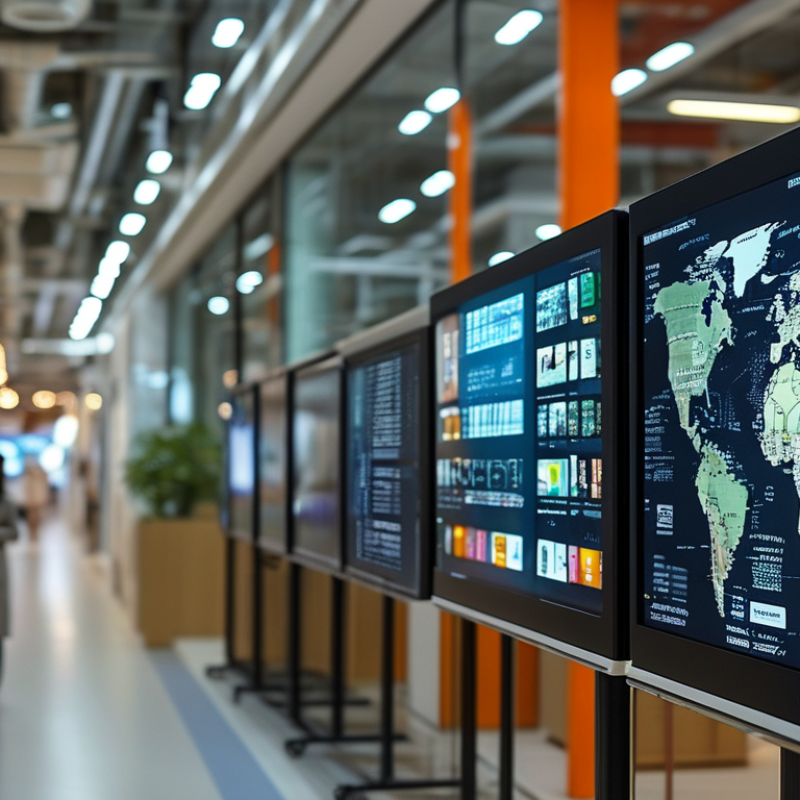
The touch screen display industry is evolving rapidly. New technologies are emerging that enhance user experience and interactivity. One notable trend is the shift towards flexible displays. Manufacturers are exploring materials that can bend and fold. This innovation opens up new possibilities for product design.
Another key trend is the integration of advanced haptic feedback. Touch screens now provide sensations that mimic tactile experiences. This feature adds another layer of interaction, enhancing the overall user engagement. However, achieving flawless haptic feedback remains a challenge.
Furthermore, we see increased adoption of multi-touch capabilities. Users expect seamless interaction with multiple points of contact. The challenge lies in developing software that maintains performance under heavy usage. As technology advances, so must our understanding and approaches to these developments. Balancing innovation with user needs requires ongoing assessment and adaptation.
When selecting touch screen displays, several key features should be prioritized. The response time is critical. A fast response enhances user experience, especially in dynamic applications. Resolution is another important aspect. Higher resolution contributes to clarity and detail, making interactions smoother. Touch technology varies as well. Capacitive screens tend to provide better responsiveness compared to resistive ones.
Durability should not be overlooked. Touch screens face heavy use and potential damage. Look for displays with strong glass or coatings that resist scratches. Environmental resistance plays a role too. Displays that can withstand dust, water, and extreme temperatures are ideal for outdoor settings.
Also, consider the size and aspect ratio. Larger displays offer better visibility, yet may require more space. The interface and software compatibility are crucial as well. Not all displays are easy to integrate with existing systems. Thoughtful evaluation of these aspects ensures a more reliable and effective touch screen solution.
Touch screen displays are versatile tools that cater to various markets. Understanding the types is essential for making informed decisions. Each application requires specific features to optimize performance.
For retail environments, multi-touch displays allow for interactive experiences. They help engage customers, driving sales. In healthcare, durable screens that resist bacteria and withstand frequent cleaning are critical. Educational institutions benefit from large-format displays that enable collaborative learning.
Tips: When choosing a touch screen, consider the environment. Protective features are key in high-traffic areas. Balance responsiveness with durability for optimal performance. A screen that is too sensitive may lead to unintended inputs.
Industrial applications often need rugged touch screens. These devices must function in challenging conditions, including temperature fluctuations. Clarity and brightness are crucial in outdoor settings, where sunlight diminishes visibility.
Tips: Test different display types before committing. Gather feedback from users to understand usability. A poorly chosen display can hinder productivity and lead to frustration. Prioritize adaptability to various work conditions.
The touch screen market is evolving rapidly. Many manufacturers are adapting to meet diverse buyer needs. Leading brands are striving to provide high-quality solutions that cater to various applications. This includes consumer electronics, industrial equipment, and healthcare devices. Each sector has its unique requirements, influencing the design and functionality of touch screens.
Manufacturers are focusing on enhancing user experience. Innovations like multi-touch capability and improved sensitivity are becoming commonplace. Companies prioritize durability and resistance to environmental factors. Display size and resolution also play critical roles in user satisfaction. However, the challenge lies in balancing cost with advanced technology.
While many brands excel, there are still areas needing improvement. Some products occasionally fail to meet expectations in terms of response time. Other issues include compatibility problems with software updates. Buyers must navigate these complexities carefully. Researching options can lead to better decision-making. Understanding the strengths and weaknesses of different manufacturers is vital for making informed choices.
| Display Type | Screen Size (inches) | Resolution | Touch Technology | Typical Use Cases |
|---|---|---|---|---|
| LCD | 15.6 | 1920 x 1080 | Capacitive | Point-of-Sale |
| OLED | 10.5 | 2560 x 1600 | Multi-touch | Digital Signage |
| LED | 27 | 3840 x 2160 | Resistive | Industrial Control |
| Projective Capacitive | 21.5 | 1920 x 1080 | Capacitive | Interactive Kiosks |
When selecting touch screen displays, global buyers should consider several factors. Assessing your application's needs is critical. Think about the environment where the display will be used. Will it be in bright sunlight or a dim office? Choosing the right display technology can dramatically affect visibility.
Touch sensitivity is another significant factor. Different applications require varying levels of responsiveness. Some users prefer a light touch, while others need a robust touch response. This choice can influence user experience.
Tips: Measure your intended usage. If users will navigate with gloves, consider a display that supports such interaction. Remember, the wrong choice can lead to frustration and decreased productivity.
Another essential aspect is durability and longevity. Review the display's specifications carefully. Some displays are more resistant to scratches, moisture, or temperature extremes. These characteristics are crucial for longevity and reliability in various settings.
Tips: Don’t overlook warranty terms. A stronger warranty often hints at better quality. Assess manufacturers’ support options, as these can significantly affect overall user experience. Reflections and shadows on the screen can impact usability. Be thoughtful about where and how your device will be used.
: Touch screen displays serve various markets, including retail, healthcare, and education.
Multi-touch displays create interactive experiences. They engage customers and can boost sales in retail settings.
Durability and cleanliness are essential. Medical screens should resist bacteria and endure frequent cleaning.
Clarity and brightness matter most outdoors. Sunlight can reduce visibility, so these features are vital.
Rugged designs are needed for tough environments. Touch screens should work well under various temperatures and conditions.
Testing different display types is critical. User feedback helps identify usability issues and enhance productivity.
Response time can sometimes disappoint users. Compatibility with software updates may also be problematic.
Cost should balance with technology. Ensure durability and responsiveness don't compromise performance.
Gathering user feedback can reveal strengths and weaknesses. It helps in making informed choices for better usability.
No, some screens can hinder productivity. A poorly chosen model may lead to user frustration and inefficiency.
The article "Top Touch Screen Display Solutions for Global Buyers" highlights the latest trends and essential features in touch screen display technology. It emphasizes the importance of understanding various types of touch screen displays tailored to specific applications, such as retail, healthcare, and industrial uses. Buyers are encouraged to consider key factors like responsiveness, durability, and display size when selecting the right touch screen display for their needs.
Moreover, the article outlines popular touch screen display types, including capacitive and resistive displays, each suited for different environments and user interactions. Additionally, it provides insights into leading manufacturers and brands within the market, guiding global buyers through the selection process. Ultimately, the article serves as a comprehensive resource for understanding the critical elements that influence the purchase of touch screen displays in today’s technology-driven landscape.

Xiangrui Optoelectronics